Call us on: +254701315228
Common Software Installation Mistakes and How to Avoid Them in 2026
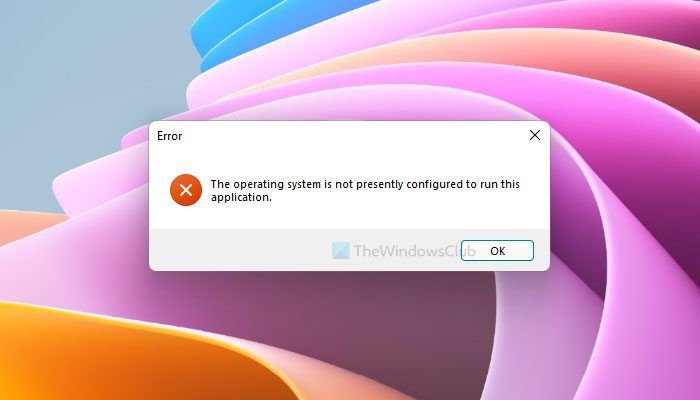
Users rush installs without verifying specs, causing 40% of failures. Outdated OS, low RAM, or wrong architecture (32-bit on 64-bit) crash processes.
Software installations derail productivity daily failed setups waste hours and expose systems to risks. Common errors like permission oversights or corrupted files hit Windows, macOS, and Linux users alike.
This guide targets teams and individuals needing quick IT support, detailing fixes to get software running smoothly.
Skipping System Requirements Checks
Users rush installs without verifying specs, causing 40% of failures. Outdated OS, low RAM, or wrong architecture (32-bit on 64-bit) crash processes.
Avoid it:
- Review vendor pages for OS version, RAM (e.g., 8GB min), disk space (2x install size for temp files).
- Use tools like Windows’ “msinfo32” or Linux “lscpu” for audits.
Running Installers from External Drives
Launching from USBs or networks risks interruptions—drives disconnect mid-install, corrupting files.
Avoid it:
- Copy to local C:/Temp; verify checksums (SHA-256) via PowerShell “Get-FileHash”.
- Scan with antivirus before running.
Ignoring Permissions and Admin Rights

Non-admin installs fail on registry writes or service starts; Linux sudo mismatches block packages.
Avoid it:
- Right-click “Run as administrator” on Windows.
- Use
sudo apt installon Ubuntu; checksudo -l. - Temporarily whitelist in antivirus/UAC.
Antivirus Interference Without Exceptions
Security software quarantines files, mimicking corruption.
Avoid it:
- Add installer folder to exclusions.
- Disable real-time scan briefly, re-enable post-install.
- Run full scan after.
Corrupted Downloads or Wrong Sources
Third-party sites deliver malware or broken files; hash mismatches go unchecked.
Avoid it:
- Download from official sites only.
- Verify MD5/SHA via vendor checksums.
- Use official package managers (apt/yum).
Architecture and Compatibility Mismatches
Mixed 32/64-bit installs create conflicts; Windows 11 bugs exacerbate.
Avoid it:
- Match system architecture (Settings > System > About).
- Install prerequisites (.NET, Visual C++ redistributables).
- Use compatibility mode for legacy apps.
Post-Install Cleanup Oversights
Leftover temp files/registry entries block updates; failed uninstalls linger.
Avoid it:
- Clear %TEMP%; run CCleaner.
- Use Microsoft Troubleshooter for uninstalls.
- SFC /scannow on Windows for integrity.

Advanced Tips for Teams
- Automate with Chocolatey (Windows) or Homebrew (macOS).
- Test in VMs before production.
- Log errors: Event Viewer (Windows), journalctl (Linux).
Struggling with installs? Our IT training and support handle setups, saving your team time.